What is Home-Lab?
For a good few years now I’ve been hearing that more and more Linux users are building their own Home-Labs with servers, switches, routers and even smart home drivers, all of that using an internal network separated from the home network. As the years flew by, intrigued by the idea, I’ve also gathered a bit of equipment and configured my own Home-Lab with a Linux server and IoT devices using a separate network. Of course building something like that requires a bit of knowledge that I’m willing to share, allowing you to join me on this System Administration adventure.
== Basic knowledge ==
Before we start with technicalities I need to explain a bit what we call a Home-Lab, what is required and why it is very important to plan everything ahead, because as you will learn later everything is important – size, weight, device type and even types of ports or cables. Let’s get started!
Types of Home-Labs
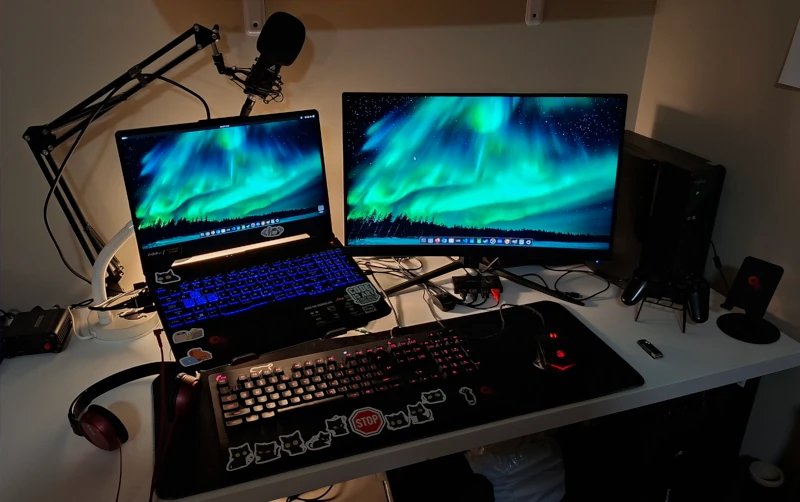
Home-Lab comes in different types and sizes. It mostly depends on your level of knowledge, what needs you have and of course how deep you can reach into your pocket for the money. Unfortunately our hobby requires at least a bit of hardware, therefore some things need to be bought. But don’t be afraid, as I will show you that a simple server connected to your local network can be cheaper than a meal for two.
RACK
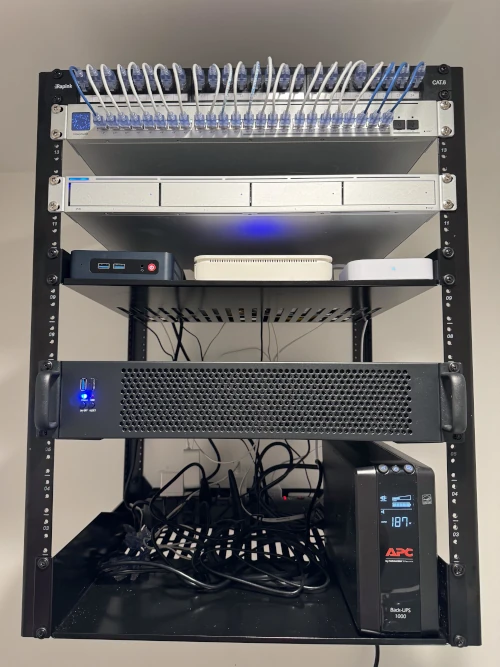
When speaking about servers and IT labs most of us automatically see big server rooms with dedicated cabinets and a special mounting system called RACK. It allows for the devices to work in a specially prepared environment with cooling, dust protection, power surge protectors etc. For a home solution this type of cabinet seems a bit like overkill. It costs a lot itself and furthermore RACK network devices are also more costly than consumer-class devices. It is also worth remembering, that RACK devices are often much more energy-hungry, because they have huge industrial power supplies. Additional hassle with RACK cabinets is space! For example I’m living in a rented flat where I cannot drill holes to hang cabinet under the ceiling, and even the thought of a cabinet like that standing in the bedroom taking so much space is unacceptable for me. Of course if you are able to get those types of devices at a good price, have a place to connect them and you’re not afraid of the energy bill then of course you are more than welcome to work with those. Just keep in mind, that you will need good power source, more cable works and maybe a bit more time to configure everything. RACK setup will pay back with much better performance and longer lifespan.
Tower
Servers are also being sold as tower devices, that are self-sufficient and do not require special cabinets to work. Most often they allow you to connect 4 or more dedicated hard drives, have CPUs with many cores and a big amount of RAM to perform complicated tasks for many users at the same time. Similar to RACK devices they most often have power supplies that consume a lot of energy. From my experience I can also say, that they are quite noisy and there is absolutely no possibility to keep the device in the same room where you sleep.
Home Solutions
We are now reaching a level affordable to everyone and easy to maintain, even by someone not experienced with servers. Turns out, that the classic PC (or even laptop) can serve as a Home-Lab server, and all the magic is coming from the software. By using a standard computer you can save a lot of money not only when buying hardware, but also on energy bills. Most of the modern PCs have CPUs with many cores and pretty big amount of RAM. It is most often more than enough to work on Home-Lab activities.
Energy consumption
One of the most important things for me is energy consumption and noise level. While current devices are built with the use of modern brush-less fans, the power supplies are relatively power-hungry. It is absolutely necessary when we are thinking about using a computer for high resolution multimedia or video games, but for server-like activities it is absolutely unnecessary. While building your first Home-Lab server make sure to select a device that will not pump your energy bill without the need.
Energy to performance ratio
A very important thing to consider is the energy consumption to performance ratio. It is very important to choose the right hardware to what you want to achieve. For example if you plan to run a Samba file server, local LAMP test server and some functionalities like DNS services you need absolutely basic station. Even Raspberry Pi is able to do all of the above with ease. Setting up a 24 core, 64 GB RAM server with 8 drives, 2 TB each will be inappropriate and would generate a huge amount of cost while only a fraction of resources would be used. But if you want to run a couple of virtual machines at the same time and set up home media server that would provide a 4K video stream, for example via Jellyfin it would be very inefficient to run an old PC with single core CPU and 2 GB of RAM. The most important thing is to find a perfect spot in the middle – to have a good performance according to your needs with as low cost as possible (energy consumption included).
== Do you need Home-Lab? ==
It is absolutely crucial to answer this question by yourself, but as a Linux enthusiast, I like to say “It is not a question “if” but “when” do you need a server?”. Most of the time if you are planning to become a Linux Power-User or even move your career in this direction a home server, which is a real device, bare metal running Linux 24/7 is absolutely necessary. It’s the only way to check how the privileges work, how to configure containers or how to configure some network settings. Without it you are dependent on company equipment, and configuring something wrongly may cause a major trouble.
What is it used for?
Home-Lab server has a couple of purposes. Most important is a file server. You can configure the device so it would work as a network drive (like NAS – Network-Attached Storage), where you can exchange data between devices or store your backups. Home server can also work as your private LAMP (Linux + Apache + MySQL + PHP) allowing you to test your websites locally or even run your local services for family and friends. Sometimes it can be used to test containers with Docker and Kubernetes to check if the configuration works as intended before applying settings to production. Home-Lab server also allows to create and run virtual machines without having to use your PC resources. If you have a big collection of family photos and movies you can also use the home server to run a VOD-like service allowing everyone in your home network to browse media the same way they would do on Netflix, for example. There are countless possibilities and further I will prepare step-by-step tutorials allowing you to configure all the services.
Self-hosting
A lot of people are asking me if it’s possible to ditch a paid web server and host your website and email services locally, on your Home-Lab server. Of course it is possible, but it requires one crucial thing – static public IP. Most of the ISPs connect you to the web with use of public IP address that changes over time. Static IP requires additional agreement with your provider and most of the time it costs a bit more than standard network connection. Of course it’s not all, because most of the time it is a real hassle to configure everything so main providers won’t flag your page or emails as a SPAM and put you in the darkest corner of the internet. Therefore I would recommend you to stay with a bigger provider, at least before you learn how to configure everything yourself.
== Possible solutions ==
At this point we can think about possible solutions, that could be used as a Home-Lab server. There are many options, and as I will show you everything can be bought in a very reasonable prices.
Your old PC
First thing you should consider is of course your old PC! I know, that not everyone has a full PC hidden in the basement, but if you do it can be a perfect solution. All you need is a device with at least dual-core CPU, 2 to 4 GB of RAM and around 500 GB drive. Other parameters are not very important. If you have something like that you are actually ready to go!
Used PC
If you don’t have the luxury of old PC waiting for you to find a new purpose for it, then of course you can check your local market for a used PC. This was exactly my case and thanks to a local classifieds portal I’ve found a perfect solution. Just when hunting for a used PC make sure you are looking for at least: dual-core CPU, 2 GB RAM, 500 GB drive, moderately modern ports (USB, DVI, 1Gbps LAN). Of course it can be better, but this is a bare minimum for the device to work well with all the server functionalities.
Aftermarket servers
If you are planning to test a lot of containers, virtual machines or using your server as a media-streaming device you may be interested in an aftermarket industrial servers. They require RACK cabinets and are most often a bit more expensive, but they allow you to check how those types of devices will perform with the heavy load. Just make sure to double check the connectivity parameters, because a lot of old industrial devices have only 10/100 Mbps network cards which will bottleneck your work. You are looking for 1000 Mbps (or 1 Gbps, it’s the same transfer speed).
== My current setup ==
It is always good for the writer of this type of articles to show his devices. First of all it shows, that I can actually configure everything I am writing about, and then it can also work as an inspiration to look for the exact same devices (if it works with him it should work with me). Cutting the c… ord, let’s cover my setup.
A bit of history
Throughout my Home-Lab history I’ve tested a lot of devices. Most of them were consumer-level devices, but I’ve also had some industrial hardware in my hands. Most of the industrial hardware was Dell servers and Cisco/Netgear network devices, but for my needs they were too powerful, consuming too much energy and emitting too much noise. Later in time I’ve started to test the standard PC’s which turned out perfect. Most of the time my Home-Lab is working as a network drive with a bit of services running in the background. When I’m testing web pages, containers, streaming media or running virtual machines I do one thing at a time and my device works perfectly fine in this scenario. Most of the time it will be the same in your case, so I encourage you to test the same solution I’m running on a daily basis.
Fujitsu Esprimo
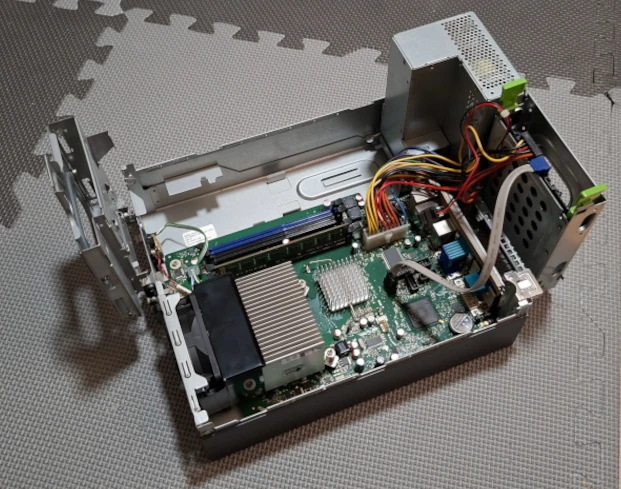
Time to introduce my Home-Lab hero – the Fujitsu Esprimo C5731. It is a Small Form Factor (SFF)
class PC that was used most often as an office PC for basic purposes, like browsing the web,
reading emails or preparing documents. While working in modern systems with advanced Graphical
User Interface (GUI) it can be pretty slow, but if you want to use it as a Home-Lab server it
has many advantages over different solutions. First of all it has small, 175W power supply, but
in idle it is only consuming 30-40W of energy. Device is also pretty small, which allows me to
hide it on a desk behind the screen and because of a clever construction it has good airflow
allowing it to work silently, even with a high load. Currently my setup has:
- CPU – Pentium Dual-Core E5800 2 x 3.2 GHz
- RAM – 2 GB DDR3 1333 MHz
- HDD – WD Blue 1000 GB 7200 RPM
- Network - 10/100/1000 Mbps
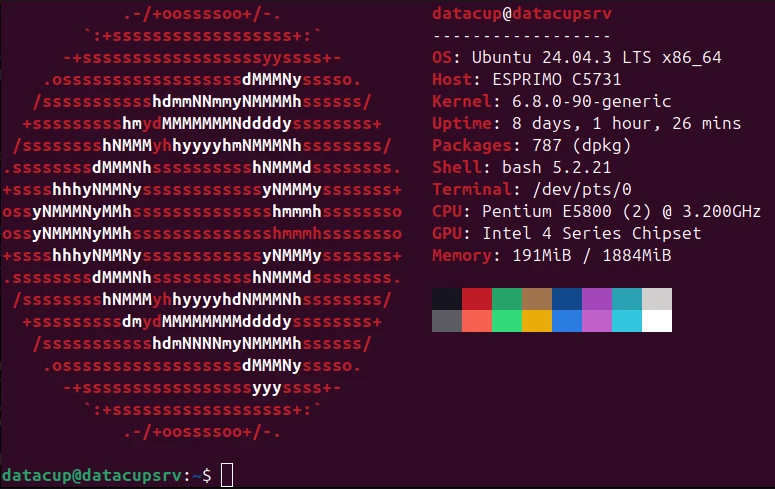
Motherboard has socket 775, 4 slots for RAM and 3 SATA slots, which will allow me to expand the server capabilities later in time. I already have plans for CPU and RAM, of course I will cover it on the page in the future. For my needs this device is absolutely enough, and now the best part – price. I’ve found it listed for 17.00 $ without HDD. I’ve bought the 1000 GB drive for 5.00 $, which makes a full Home-Lab server setup for only 22.00$. If you are also thinking about buying your first device make sure to check listings for a similar, office-like devices. Just make sure that it fulfills the required minimal specs. Most popular are SFF PC’s from Dell, Fujitsu, Hewlett-Packard (HP) and Lenovo.
== Next steps ==
Now you know what is Home-Lab, which types of devices can work as your home server, which devices to look for and what are the minimal specs that would allow you to run a home server. In the next article I will cover the Operating Systems subject, because it is very important to know what are the options and which server-dedicated operating system will be the best for your Home-Lab server.
If you have any trouble reading the page, or you need to print this tutorial download the PDF here: What is Home-Lab? (PDF)